
LTO Portal Philippines Login & Registration Guide 2026
Gone are the days when people waited in long queues at the LTO office. Whether they need to renew their driver’s license, register a vehicle, schedule an appointment, check violations, or even monitor their application status, they can complete most of the LTO transactions in just a few minutes.
The Land Transportation office (LTO) has launched the online LTO Portal to provide its services but many of the Filipinos don’t know how to register themselves in the portal and even use it to get the benefits of the LTO online services.
Don’t worry! In this guide you will get a step-by-step LTO Portal Login and Registration guide. We will explain everything about the LTMS portal, including account creating steps, password resetting, portal benefits, LTO services and also common issues faced by the Filipinos during the registration process. Let’s continue with us!
Disclaimer
What is LTO Portal (LTMS)?
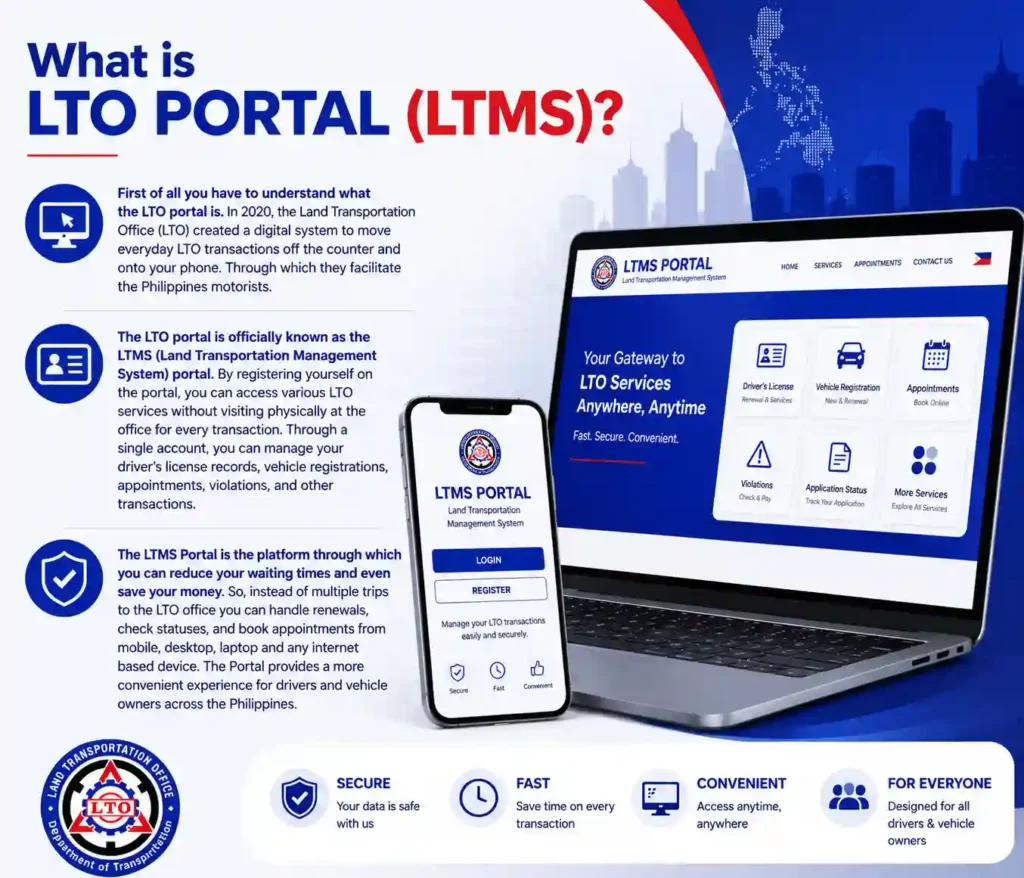
First of all you have to understand what the LTO portal is. In 2020, the Land Transportation Office (LTO) created a digital system to move everyday LTO transactions off the counter and onto your phone. Through which they facilitate the Philippines motorists.
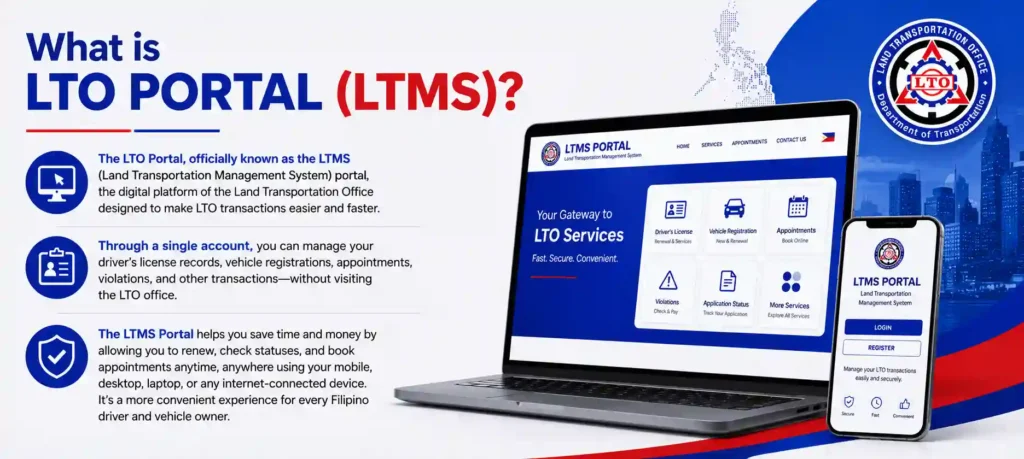
The LTO portal is officially known as the LTMS (Land Transportation Management System) portal. By registering yourself on the portal, you can access various LTO services without visiting physically at the office for every transaction. Through a single account, you can manage your driver’s license records, vehicle registrations, appointments, violations, and other transactions.
The LTMS Portal is the platform through which you can reduce your waiting times and even save your money. So, instead of multiple trips to the LTO office you can handle renewals, check statuses, and book appointments from mobile, desktop, laptop and any internet based device. The Portal provides a more convenient experience for drivers and vehicle owners across the Philippines.
Official LTMS Portal Login Link
Here is the link to enter the official LTMS portal. So, to get into the portal, go to the official LTMS website and log in with the email address you registered, plus your password. You must double-check that you are really on the official LTO portal before you put in anything personal.
Also, don’t try to click login buttons from weird emails, text messages, or social media posts, even if they look familiar. Before you log in, take a moment to verify the website address is correct and that it actually belongs to the Land Transportation Office.
LTO Portal Registration Requirements
If you want to create an LTMS account to register yourself on the portal, you need to understand the portal requirements first. Proper preparation will help you avoid technical errors during the registration process.
In addition, using an LTO Tracker can make the process easier by allowing you to monitor your application status, track updates, and stay informed throughout the registration journey.
Here, we are listing the required documents and details you need to prepare before starting your registration:
Documents/Information You Require
You must prepare important information as well as supporting documents before starting the process. Your information can vary based on user type so you must verify it here, so that you can complete your steps without any delay.
| User Type | Required Information |
|---|---|
| New Applicants | Full name, birthdate, mother’s maiden name, and complete address |
| License Holders | License number, expiry date, and OR number (or mother’s maiden name) |
| Foreign Nationals | Nationality, ACR number, and ACR expiry date |
| Organizations | Tax Identification Number (TIN) and SEC or DTI registration details |
Age Requirements:
If you are going to register yourself on the LTMS portal, there is an age requirement which is set by the LTO. According to the LTO rules, applicants must be at least 17 years old. And your age must be matched with your birthdate on national Identity documents. This age is required for the LTO services like student permit etc.
Technical Requirements:
There are a few technical requirements which can help you during the steps. If you assemble them before starting the process you can smoothly create an account and sign in the portal. You must require:
- Active Email Address: You require a valid and active email address. It is necessary to get the confirmation email by LTO because you will receive a verification link through this email ID which is most important to proceed further.
- Mobile Number: You also require a valid Philippine number and this contact number must be working or active currently to receive OTP codes and notification.
- Internet Connection: You require a strong internet connection. When you have a stable internet you can smoothly complete the process without facing any registration errors.
Device: You require a smartphone, tablet, laptop, or desktop with a camera and it must be perfectly connected with the internet.
Requirements For Filipino Citizens
- Valid email address
- Mobile number
- Personal information
- Driver’s license number (if applicable)
Requirements For Foreign Nationals
- Valid passport
- Visa information
- Alien Certificate of Registration (if required)
- Contact information
How to Register in the LTMS Portal Online
To avail the LTO services online, you need to create an LTMS portal account first. To register yourself you have to provide some of the important information to the system so that they can recognize you as a Philippine’s vehicle owner. Registration on the portal is totally free, you don’t need to pay a single amount to create an account and avail services via the portal.
Step-By Step Guide to create an LTMS Account:
If you a new user and don’t have account to sign in the portal then must follow the instructions below:
Step 1: Visit the LTMS Portal
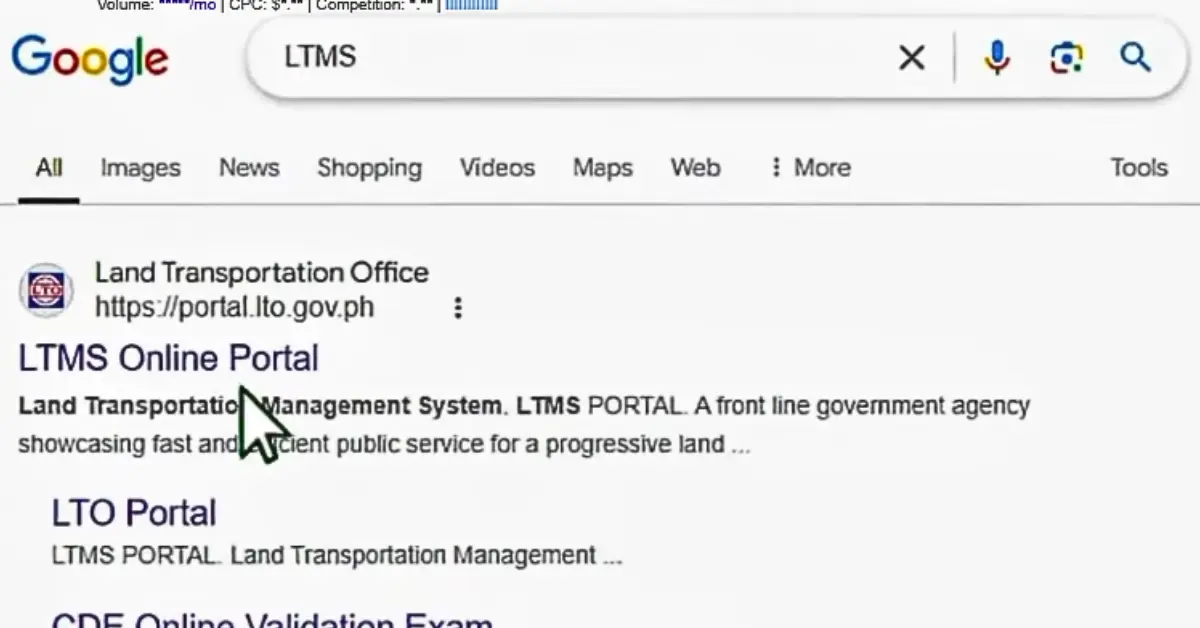
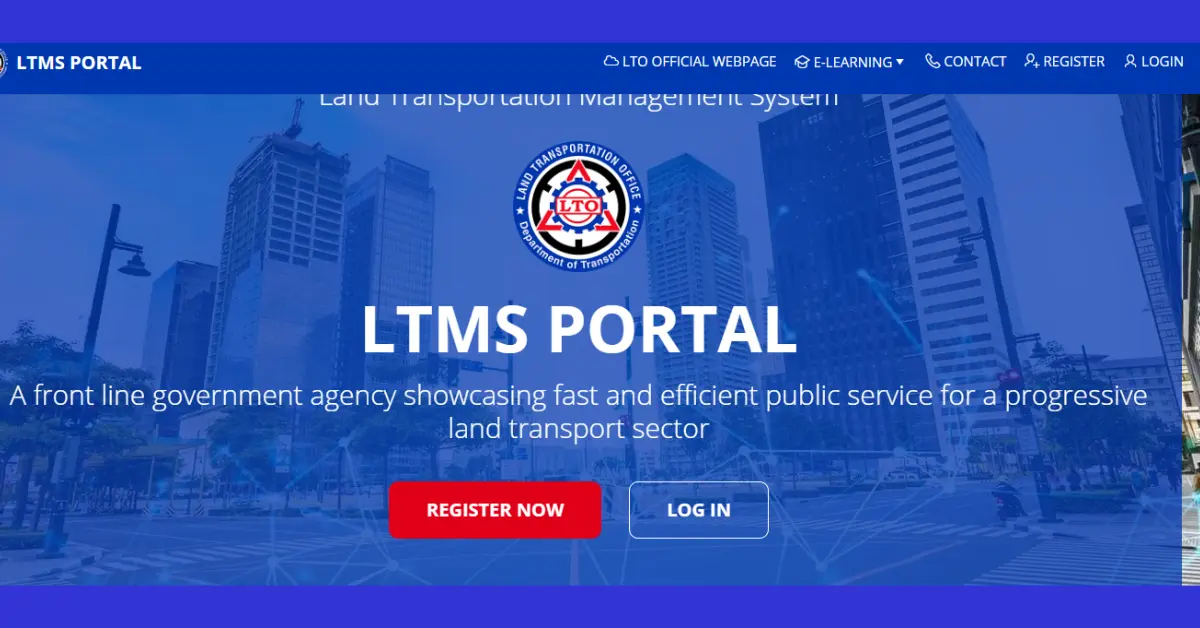
First of all click on the link above and open the official LTMS Portal website. Or you can simply search it on your device’s browser by typing “LTMS Portal” in the search bar.
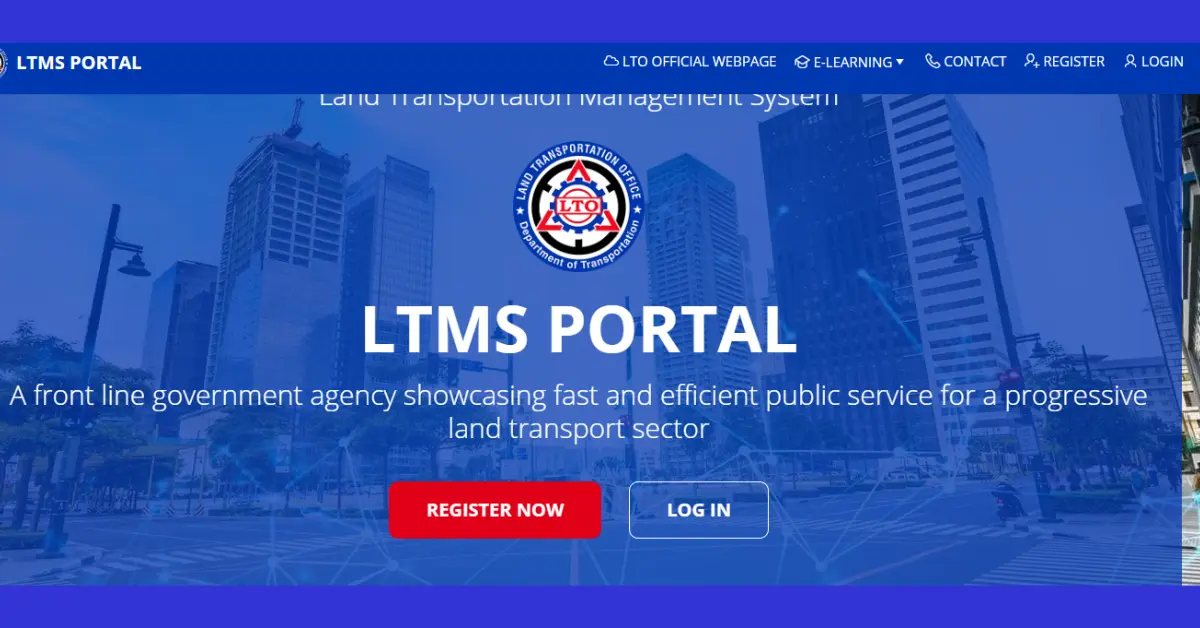
Step 2: Select Register
Once you open the official lto website then you will see the two options which are “login & register now”. If you are a new user and first time using the portal then click the “Register Now” button on the homepage.
Step 3: Accept Terms and Conditions
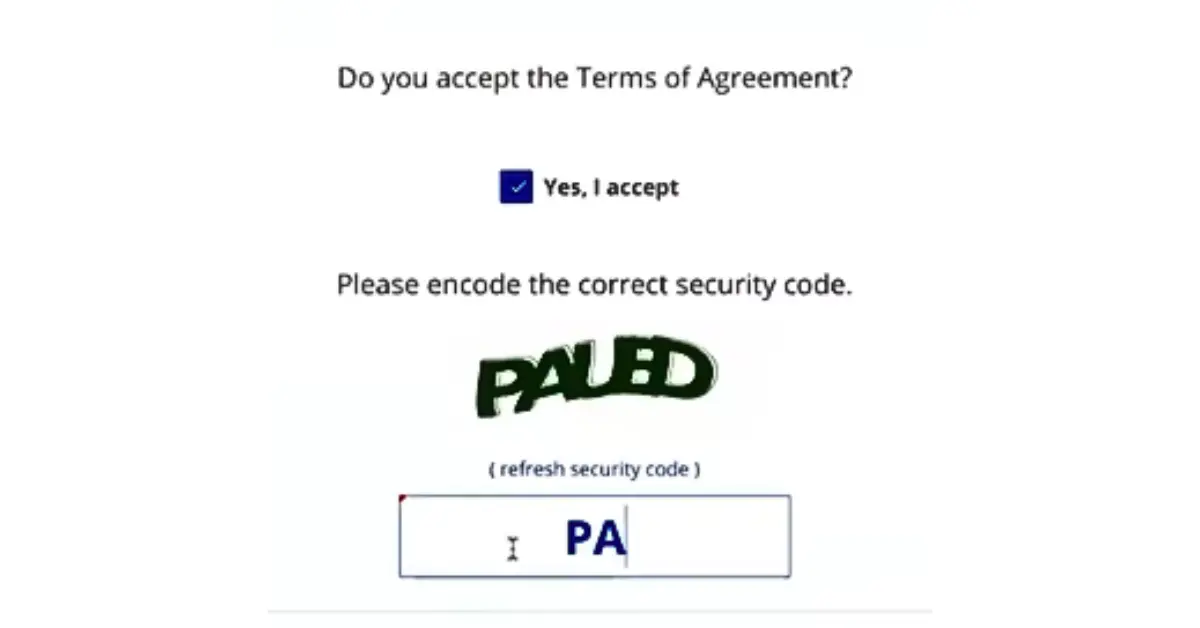
Now you must accept the terms and conditions. So, read and agree to the portal’s terms and conditions and also type Captcha code which is present on your screen.
Step 4: Choose Account Type
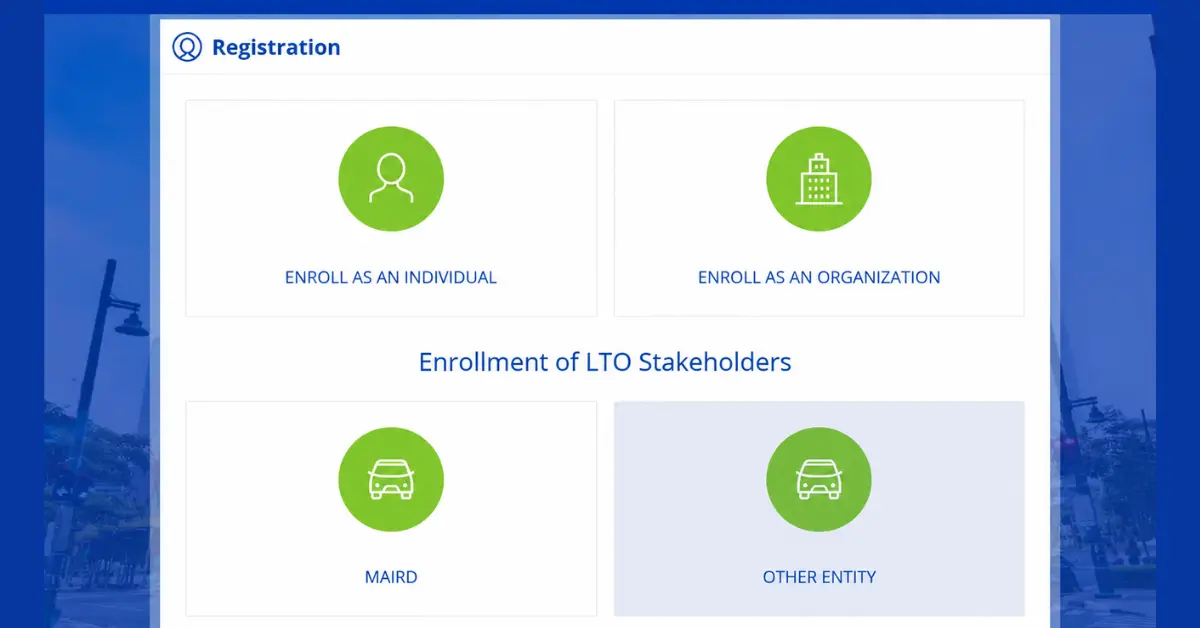
Now, in the next step you have to select the account category which you are applying for. So, if you are going to register as a vehicle owner not as an organization or LTO stakeholders then click on the “Enroll as an individual”.
Step 5: Provide Information about Your Driver’s License
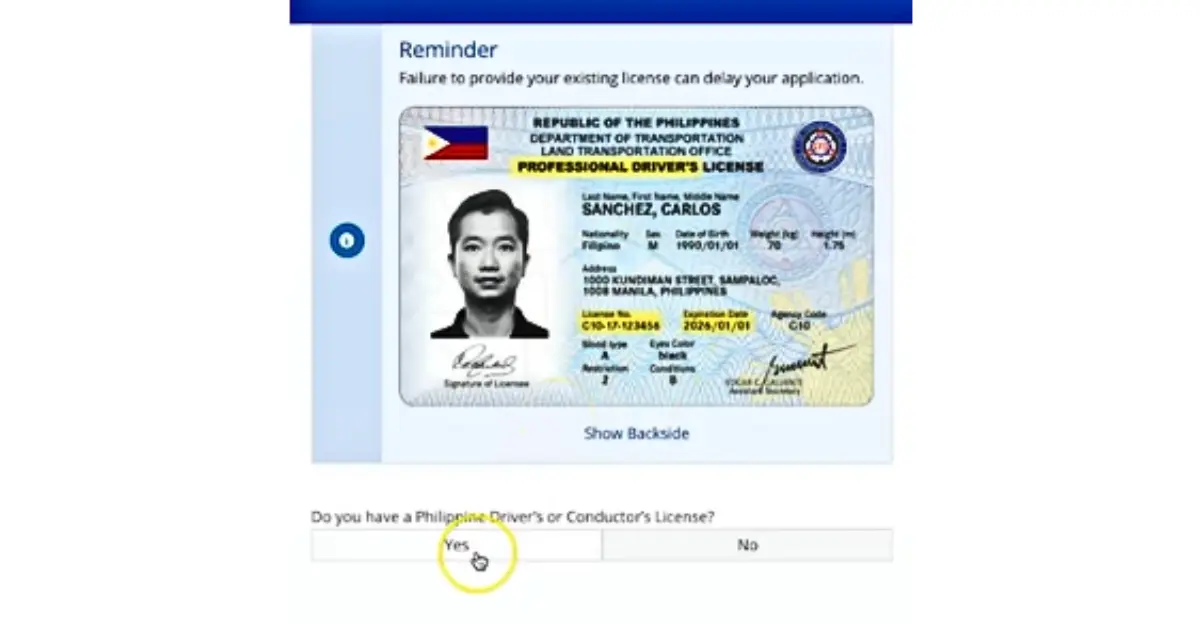
Now select the correct option. If you have a driver’s license then click on the “Yes”.
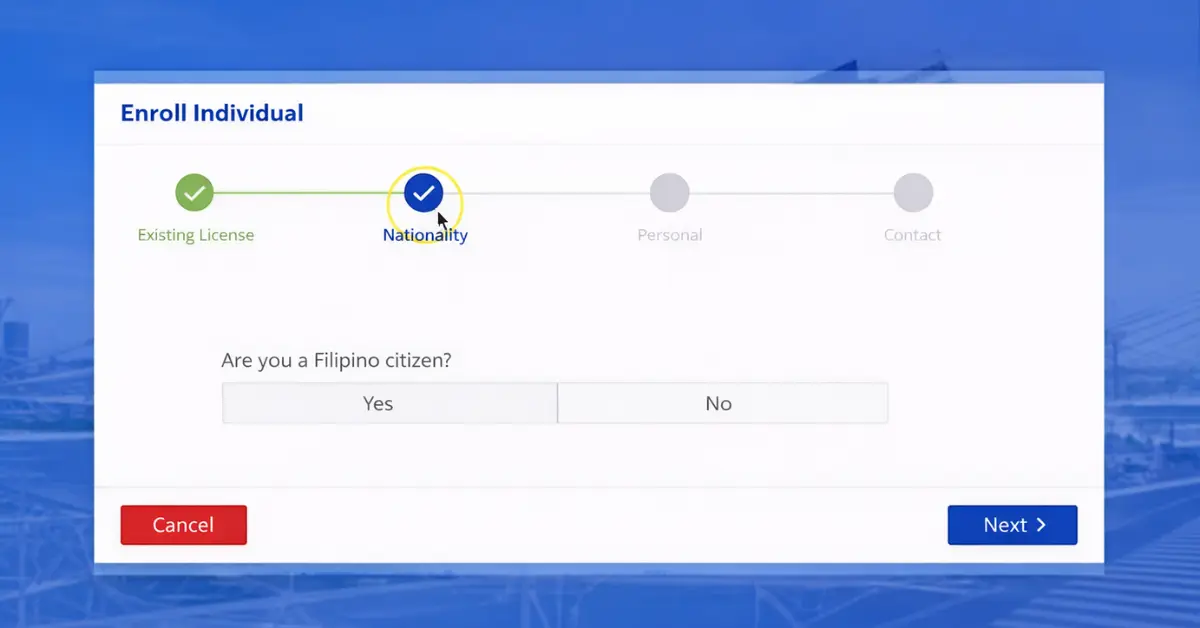
Step 6: Tell About Your Nationality
Now select “Yes” and tell the system about your nationality that you are a Filipino citizen and then click the “Next” to proceed further.
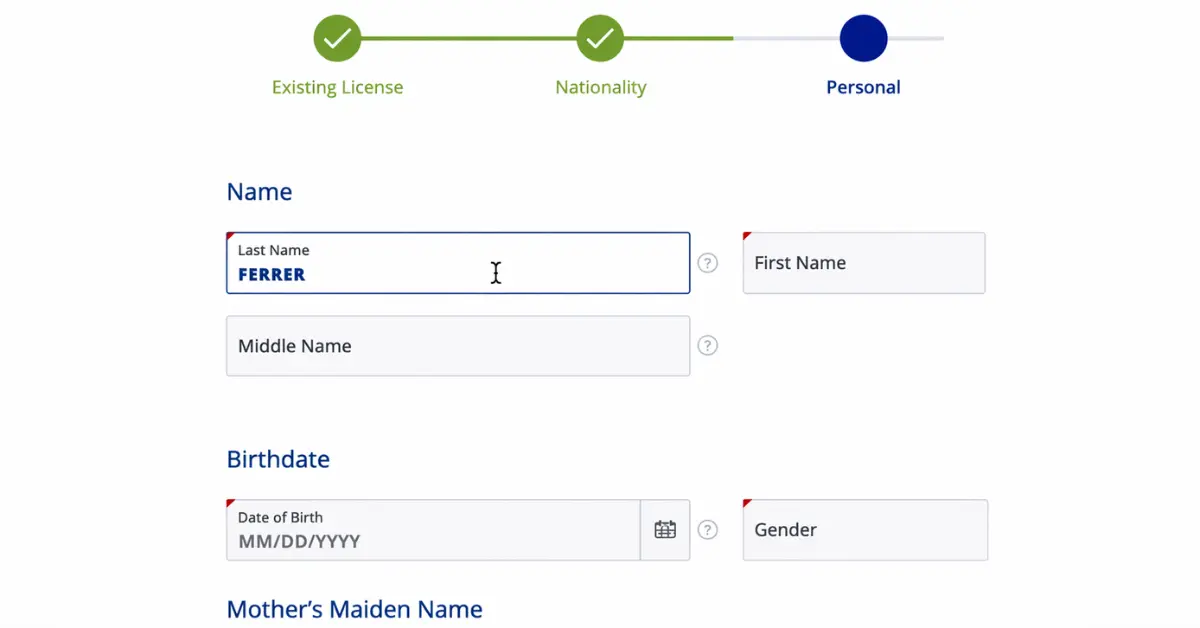
Step 7: Enter Your Personal Information
Now you have a form on your screen. Fill in the form carefully and provide the required details, including:
- Full name
- Date of birth
- Contact information
- Identification details
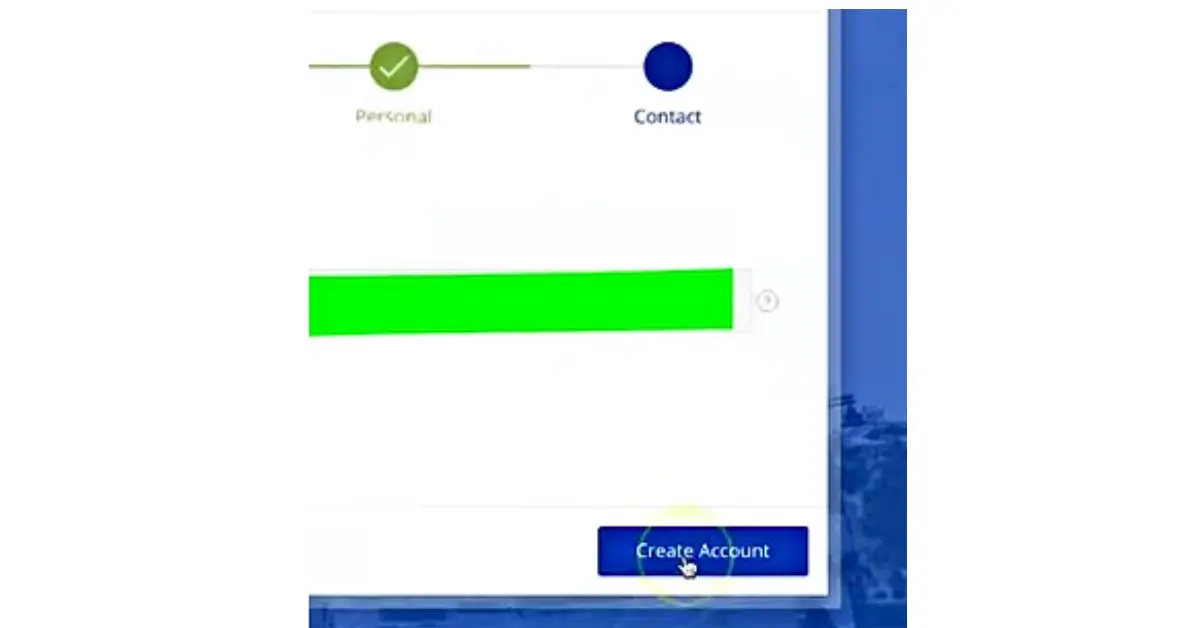
Step 8: Create Account
After providing your complete personal information then click the button below “Create Account”.
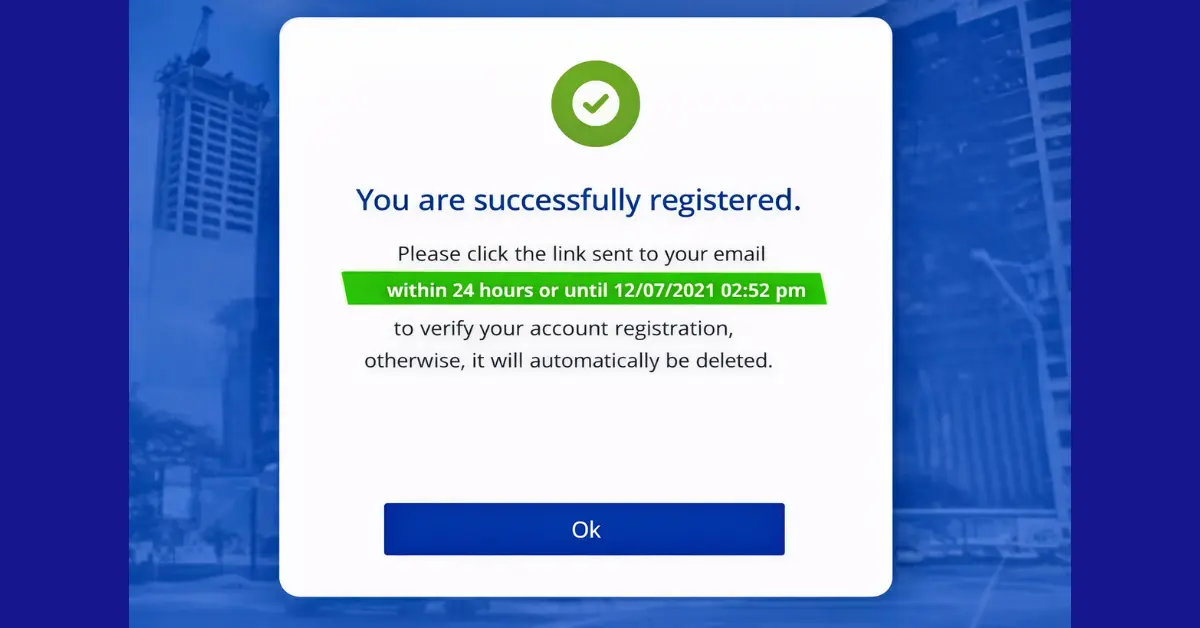
Step 9: Click “OK”
Now, click the “Ok” button and see you have successfully created your account. You will receive a verification mail on your given email address.
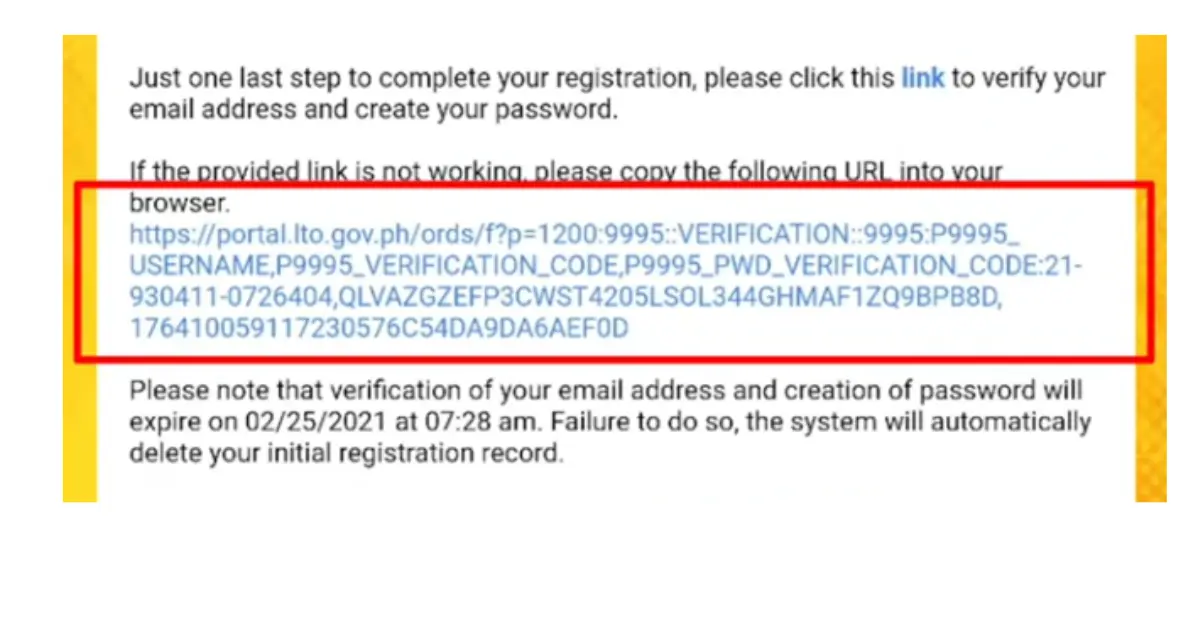
Step 10: Complete Verification
Now, go to your inbox and follow the instructions sent to your email to activate your account. You will receive a link there click on that verification link.
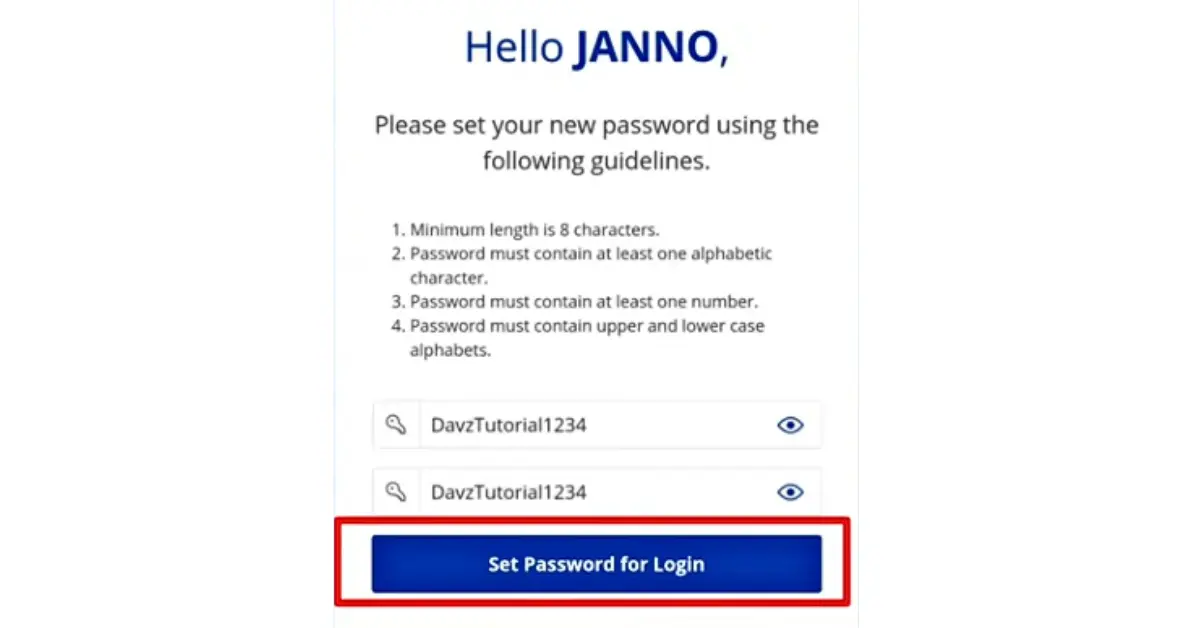
Step 11: Set Password for Login:
When you click the verification link you will see a new window on your screen , as you can see in the picture. Now set a strong password which must include 8 and more characters combination of letters, numbers and symbols. And finally click the “Set Password for Login” button.Now you have successfully created your LTO account. Now login it and access the LTO services like registration renewal and check your LTO alarm and settle your LTO violation at the comfort of your home.
Important Reminder:
- Provide your personal information according to the original ID like your name and date of birth. This information must be matched with your valid ID.
- Provide your active and valid email address so that you can get the notification without any delay.
- Note down your login credentials in your diary or take a screenshot to save.
How to Login LTMS Portal After Registration
If you have successfully registered yourself on the portal then you can login using your login credentials (email & password).
Login Requirements:
Email Address:
You require a valid email address which you have registered during the above registration process. Your email address must be active at the time of login.
Password:
A valid 8-digit password which you set after successful registration.
Step-by-step LO Portal Login Guide:
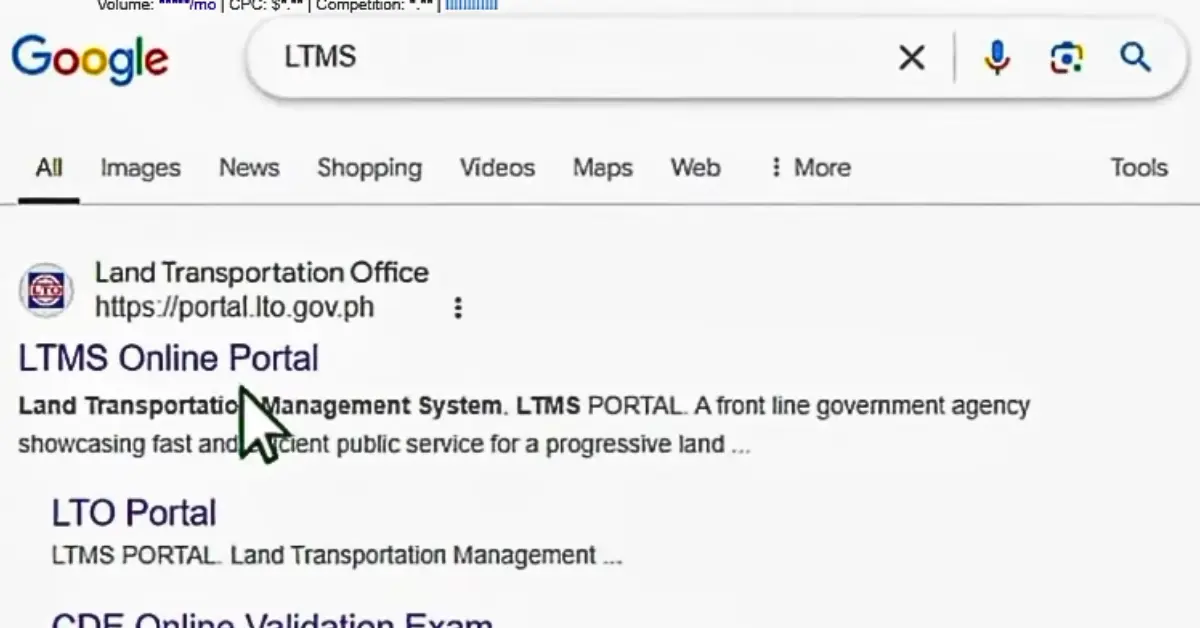
Step 1: Go to the LTMS Port
Open your browser and go to the official LTO website.
Step 2: Select Register
Now on the homepage click the “Login” button.
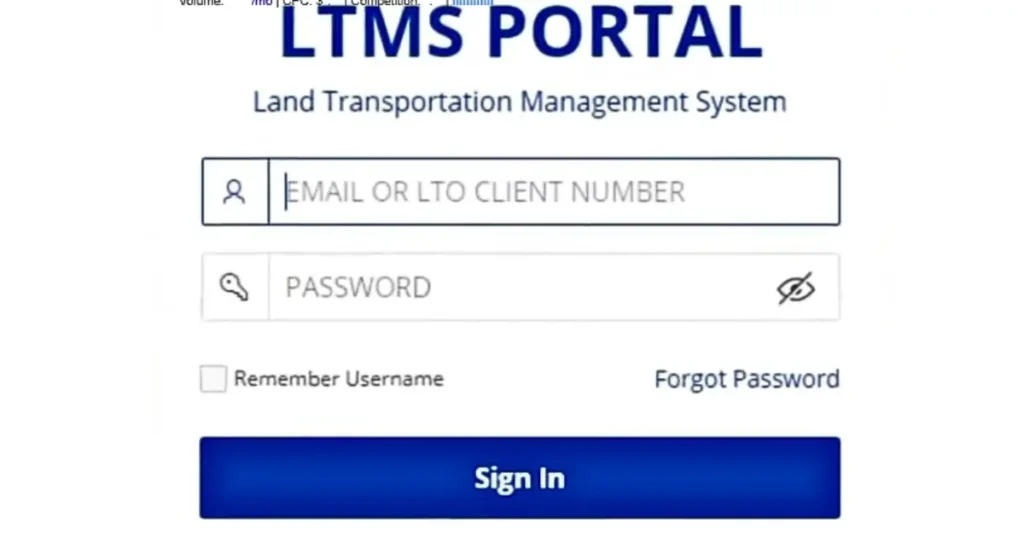
Step 3: Enter Login Credentials
Now enter your registered email and password and then click the “Sign In” button.
Finally! You have successfully logged into the portal. After signing in you will see a dashboard with various LTO services (you can see in the picture).
Important Tips:
- Never share your password or email with someone.
- Every time when you are using the portal, go to the official one.
- Double-check your credentials before clicking the sign in button.
- Save them so that you couldn’t forget.
How to Use the LTMS Portal?
New users create their account on LTMS portal but don’t know how to use the portal effectively to avail the maximum services. If you have already registered to the portal and confuse about how to link your vehicle, perform license or registration renewal, check violation and even track your number plate, then you have a dashboard overview here:
LTMS Dashboard Overview
When you have successfully logged into the portal you have a simple and straightforward dashboard. On the dashboard, you have different tabs including:
- Digital ID: To view your personal digital information
- Licensing: To access license records
- Vehicle: To manage vehicle registrations
- Violation: To check violations, demerit points and transaction history
- Documents: To access your official LTO certificates
- Profile: To manage your personal details
You can also schedule appointments or send your request from the above contact option on the dashboard.
From the portal you can access free e-learning courses to know about the road signs and traffic rules which are required for driving licensing exams.
Note: The exact features displayed may vary depending on the account type.
How to Reset Forgot Password at LTO Portal
Sometimes, even if you already successfully register an LTMS account, you still run into trouble when you go back to log in for the portal. These login errors show on your screen as “Invalid Email”, “Incorrect Password” or even “Wrong Password.”
The login errors occur due to wrong password or email address. When you miss a letter or symbol you face these errors. You just need to follow a few technical steps to manage your issues. Follow the instructions below:
- First follow the same steps and open the LTMS portal on your device.
- Then tap on the “Login” button.
- Provide your LTO client number or your registered email address
- Then enter your LTMS password.
- Then tap on the “Sign In” button.
- Here you will face errors “invalid email or wrong password” whatever. Don’t worry! You just click on the “Forgot Password”.
- Now provide your email address or client number.
- Then click the “OK” button and submit it.
- Now you have to check your inbox on the linked email ID. If you received the link click on it.
- And again reset your password with lower and uppercase alphabets, numbers and symbols.
- Then click on the “Set Password for Login” button.
- And now login with a new password.
LTO Services Available Through the Portal
When you login to your LTMS portal you get access to a wide range of LTO services online. These services are available 24/7.
Driver’s License Services
- Driver’s license renewal
- Student permit applications
- License information viewing
- Digital driver’s license access
- License classification change
- Lost driver’s license replacement
- License validity check
Vehicle Registration Services
- New vehicle registration
- Vehicle registration renewal
- Registration record viewing
- Vehicle information management
- Transaction history
- Plate number-related services
Violation and Penalty Services
- Viewing traffic violations
- Checking demerit points
- Monitoring penalties
- Reviewing violation records
- Paying penalty fines
- Certificate of No Apprehension
Online Payments
The portal supports payment processing for selected LTO transactions that’s why you can pay for minor but for complicated and heavy payment you must visit the LTO office.
Appointment Booking
Through the portal you can schedule your visits for services that require in-person verification.
E-Learning Resources
You can access the e-learning courses and lto reviewer. You can prepare for the lto exam free of cost from the LTO portal, which is required for driver’s license application.
Who Can Use the LTMS Portal?
Many users are confused about whether they can use the LTMS Portal. Below, we’ll discuss who is eligible to register and take advantage of the portal’s online services.
Existing Driver’s License Holders
If you have your driver’s license then you can create the account and manage your license-related transactions. You can easily link yourself to the LTO system to monitor their driving records online through the portal.
Private Vehicle Owners
If you have your own private vehicle, you definitely can use the portal and access registration records and complete other services related to your registration.
New Users/ Student Permit Applicants
If you are thinking about applying for a student permit and you meet the age criteria then you can easily use the system to start your application process.
Foreign Nationals
Foreign nationals also can create their registration accounts. They login the portal with required documents and information and use the services easily which are currently available for them.
Medical Clinics
LTO-accredited medical clinics use the portal to upload medical examination results and process required records for driver’s license applicants and holders.
Driving Schools
Authorized driving schools and training centers use the portal to manage training-related records and transactions.
Business Organizations and Fleet Managers
Businesses that operate multiple vehicles, transport fleet managers, and franchise holders can use the portal to monitor vehicle records, manage registrations, and handle transportation-related requirements
MAIRDOE Entities
Manufacturers, Assemblers, Importers, Dealers, and Other authorized automotive industry entities (MAIRDOE) can use the online LTO system for various transactions related to a vehicle.
Diplomats, Returning OFWs, and Government Personnel
Diplomats, tax-exempt individuals, returning Overseas Filipino Workers (OFWs), and government personnel also use the LTMS Portal for eligible LTO transactions and services.
Key Benefits of LTO Portal Online Registration
24/7 Access to LTO Services
One of the biggest benefits of the LTMS Portal is that it is available anytime. You can access LTO services 24 hours a day and complete most of the transactions whenever it is convenient for you, without visiting during office hours.
Secure Storage of Records and Documents
With the help of the portal you can keep your personal information and LTO records like license and OR/CR etc in one secure place. You can avoid the risk of losing your important documents and protect your information from unauthorized access.
Easy Access to Your LTO Records
You can view your driver’s license information, vehicle records, transaction history, and other important details anytime through your LTMS account.
Free Online Learning Materials
The LTMS Portal gives you learning resources also to prepare for the theoretical driving examination. You don’t need to go anywhere, you can easily study important traffic rules and road safety topics online from your home.
Convenient CDE Certificate Processing
If you need a Comprehensive Driver’s Education (CDE) Certificate for your license renewal, you can complete the process online. It saves your time and efforts at the LTO office.
Quick License Status Checking
You don’t need to visit personally at an LTO office, you can check the status of your driver’s license online. Through the portal you can get updates and monitor your records and transactions easily.
Reduced Paperwork
Online procedures reduce your paperwork and you don’t need to carry and manage multiple documents.
Online Appointment Scheduling
You can get an online appointment before visiting the office and set your time to avoid waiting in long queues outside the LTO office.
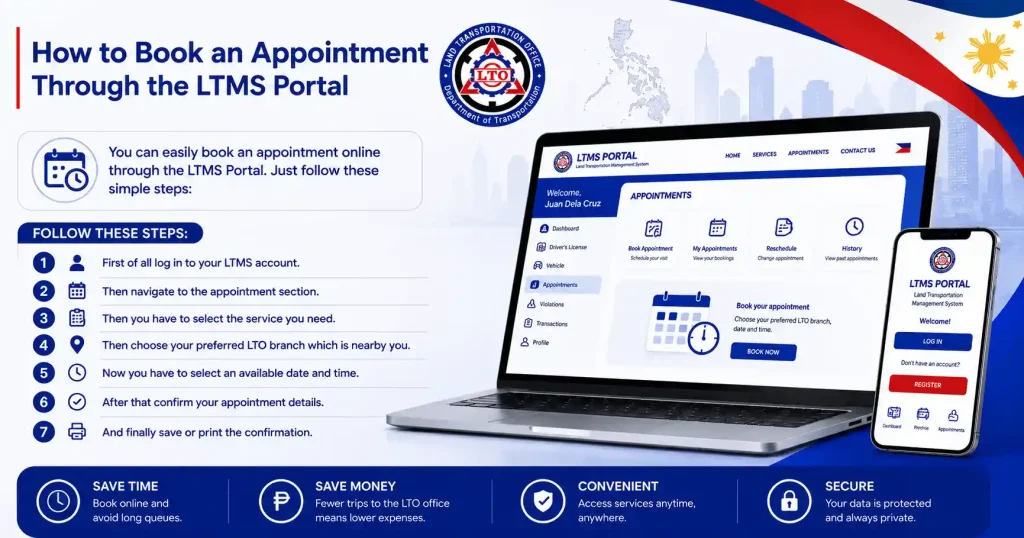
How to Book an Appointment Through the LTMS Portal
Sometimes you need a physical visit to the LTO office regarding documents verification, pay heavy penalty fines and pick up the official certificates or number plate. You can simply schedule your slot before going there.
Follow these steps to book your online appointment:
- First of all log in to your LTMS account.
- Then navigate to the appointment section.
- Then you have to select the service you need.
- Then choose your preferred LTO branch which is nearby you.
- Now you have to select an available date and time.
- After that confirm your appointment details.
- And finally save or print the confirmation.
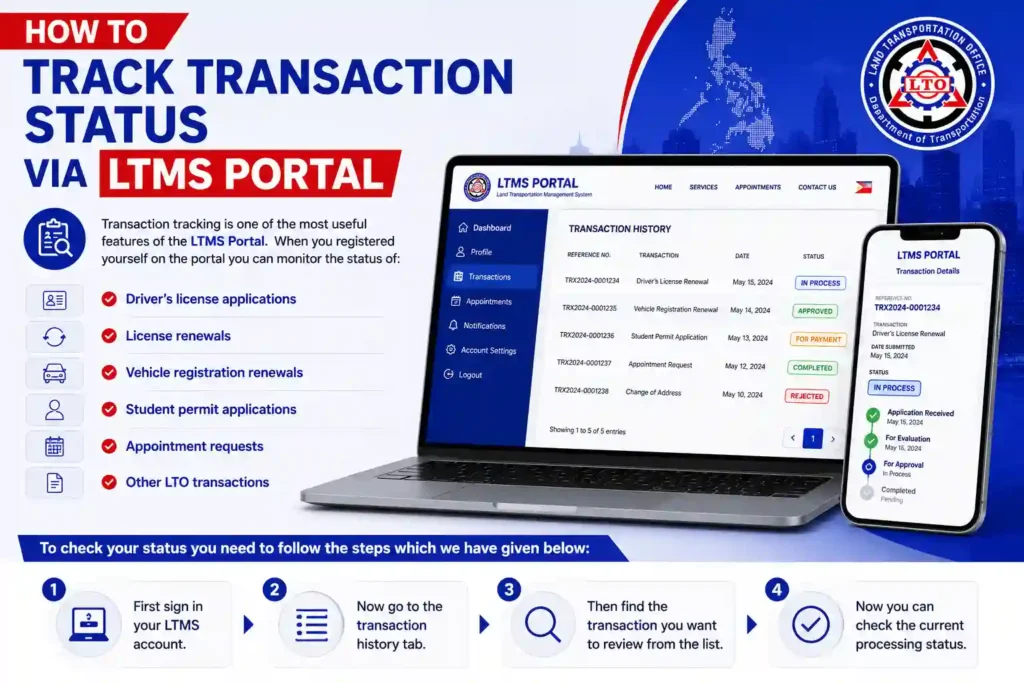
How to Track Transaction Status via LTMS Portal
Transaction tracking is one of the most useful features of the LTMS Portal. When you registered yourself on the portal you can monitor the status of:
- Driver’s license applications
- License renewals
- Vehicle registration renewals
- Student permit applications
- Appointment requests
- Other LTO transactions
To check your status you need to follow the steps which we have given below:
- First sign in your LTMS account.
- Now go to the transaction history tab.
- Then find the transaction you want to review from the list.
- Now you can check the current processing status.
Common LTMS Portal Errors and Fixes
During registration you can encounter multiple issues such as you don’t receive OTP or verification links. You can face errors when you come back to the portal and try to login after some time like incorrect password etc. so don’t worry! We are sharing user’s common problems along with their causes and possible fixes. So, if you encounter any technical error check the solution below:
| Issue | Possible Cause | Solution |
|---|---|---|
| Incorrect Username or Password | Wrong email address or password entered. | Recheck your login credentials and try again. Use the Forgot Password option if needed. |
| Account Already Registered | The email address is already linked to an existing LTMS account. | Use the password recovery feature or contact LTO support for assistance. |
| OTP Not Received | Delayed delivery, network issues, or incorrect contact information. | Wait a few minutes, check your mobile signal, verify your registered number, and request a new OTP. |
| Verification Email Not Received | Activation email may be delayed or sent to spam. | Check your spam or junk folder, verify your email address, and request a new verification email. |
| Account Not Verified | The email verification process was not completed. | Open the verification email and follow the activation link. Request a new verification email if necessary. |
| Website Loading Issues | High website traffic, browser issues, or temporary system problems. | Refresh the page, clear browser cache, try another browser, or access the portal later. |
| System Not Loading | Internet connection problems or portal maintenance. | Check your internet connection and try accessing the portal during non-peak hours. |
| Account Locked | Multiple unsuccessful login attempts triggered a security lock. | Wait for the lock period to expire or reset your password through the account recovery option. |
| Server Busy or Under Maintenance | The LTMS Portal is undergoing maintenance or experiencing heavy traffic. | Wait and try again later. Check official LTO announcements for maintenance updates. |
| Vehicle Not Appearing in Account | Vehicle records have not yet been linked or updated in the system. | Verify your account information, contact the LTO office that processed your registration, or request record verification. |
LTO Customer Service Hotline
If your issue does not resolve even if you have tried the above fixes, you can directly contact the LTO officers and sort it immediately. Here is the LTO contact details:
| Main Hotline: | (02) 8922-9061 |
| Client Care Email: | clientcare@lto.gov.ph |
| Text Hotline: | 2600 |
| NCR Viber: | 0936-853-3934 |
| Command Center: | 1342-586 |
Security Tips for Your LTMS Portal Account
| Security Tip | Why It Matters | What You Should Do |
|---|---|---|
| Use a Strong Password | A strong password helps prevent unauthorized access to your LTMS account. | Create a password that includes uppercase letters, lowercase letters, numbers, and special characters. |
| Keep Login Details Private | Sharing your credentials can put your personal and vehicle records at risk. | Never share your password, OTP, or account information with anyone. |
| Log Out After Using Public Devices | Leaving your account signed in on a shared computer can allow others to access your information. | Always log out after using internet cafés, public computers, or shared devices. |
| Update Contact Information | Outdated contact details may cause you to miss important notifications and account alerts. | Keep your email address and mobile number updated in your LTMS account. |
| Monitor Account Activity Regularly | Regular monitoring helps you detect suspicious activity early. | Check your account periodically for unfamiliar transactions, changes, or login attempts. |
| Avoid Suspicious Links and Emails | Fake websites and phishing messages may steal your login credentials. | Access the LTMS Portal only through the official website and avoid clicking unknown links. |
| Use a Secure Internet Connection | Public Wi-Fi networks may expose your personal information to security risks. | Log in using a trusted and secure internet connection whenever possible. |